
If you want a Raindrop alternative for passing links between two people, the difference is the unit of sharing. Raindrop.io shares a whole collection with members, and each member needs a Raindrop.io account. Shareling is designed to send one link to one person, after which the link sits in both your libraries.
Shareling's sending is designed but not built yet, so every Shareling behaviour on this page that involves a second person describes the app at launch. Raindrop.io facts come from its own pricing page, help centre and App Store listing, read on 2026-09-25.
What is Raindrop.io, and what does it cost?
Raindrop.io is a cross-platform bookmark manager that stores your links on its own cloud and is free with unlimited bookmarks. It calls itself an "All-in-one bookmark manager" and has apps for Mac, Windows, iPhone, iPad and Android, a web app, and browser extensions for Chrome, Safari, Firefox and Edge.
The free plan has no time limit and no cap on bookmarks, collections, tags, devices or collaborators per collection. File uploads are 100 MB a month on Free and 10 GB on Pro. Pro adds the web archive, reminders, annotations on highlights, full-text search, a broken link checker, a duplicate finder and automatic backups.
What Pro costs depends on where you pay. On the US App Store it is $2.99 a month or $27.99 a year. Raindrop's web price page is localised by region; read from India it showed ₹339.72 a month or ₹3,170.75 a year including VAT, and no US dollar price. Web plans carry a 30-day money-back guarantee, and the feature set is the same wherever you subscribe.
How does sharing work in Raindrop.io?
In Raindrop.io the unit of sharing is the collection. You open a collection, go to Share, then Collaboration, then Invite, and create a join link. Invite links are reusable, and only the collection's owner can invite people. Each person gets one of two roles:
- Member: can view, add, edit and delete bookmarks in the collection.
- Read-only: can view only.
To join, a person must sign up for a free Raindrop.io account. You cannot share from All bookmarks or Unsorted; you have to be inside a specific collection. The other way to share is a public page, which turns a collection into a read-only web page at username.raindrop.page/collection-name. Public pages can show up in search results and cannot be password-protected.
Raindrop's help docs describe no action for sending one bookmark to one named person. To pass one link to one friend, you make or pick a collection, invite them, and they create an account.
What does Raindrop.io do better than Shareling?
Raindrop.io does more than Shareling in almost every area outside two-person sending, and several of those areas are ones Shareling does not attempt at all.
- It works for people who are not on Apple devices. Raindrop runs on Android 7.0 or later, Windows 10 or later, macOS 12 or later, iOS 17.4 or later and the web. Shareling needs an Apple device running version 26 of the operating system. If your friend has an Android phone, Raindrop works and Shareling does not.
- The free plan is generous and available today. Unlimited bookmarks, collections and devices, and free highlights, with no time limit.
- Many people can share one collection. Members are free and uncapped on both plans. Shareling channels hold exactly two people, and there is no group.
- Anyone can read a public page. A person with no account can open a Raindrop collection in a browser. Shareling has nothing like it.
- Search goes deeper on Pro. Search matches titles, descriptions, URLs, tags and notes, and also matches by meaning. Pro adds search inside web pages, PDFs, EPUBs and YouTube transcripts, and keeps a permanent archive copy of every saved page.
- It connects to other tools. Raindrop lists integrations including IFTTT, Zapier, Notion, Readwise and an MCP server, and has a public API.
- Its apps are open source, and its imports cover Pocket, Instapaper, Pinboard, GoodLinks, Anybox and more.
Where does Shareling do better?
Shareling does better when the job is one person sending one link to another person, and both of them keeping it. Three design decisions make that work.
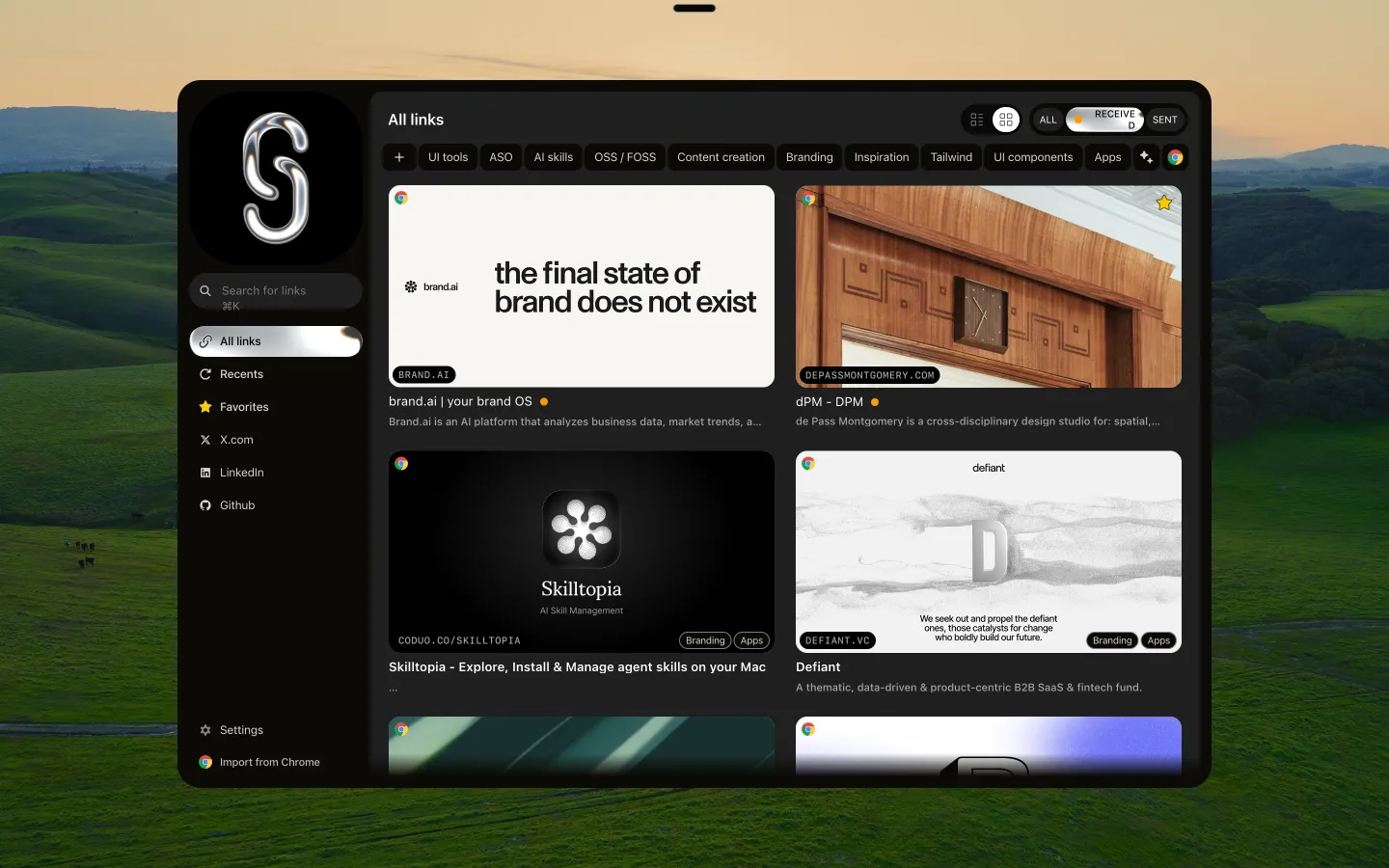
One drop, one person. At launch, sending a link is a single gesture: on the Mac you drop it on a person at the top of the screen, and on iPhone you pick them under Send to in the share sheet. The other person needs Shareling on their own Apple device, much as a Raindrop member needs a Raindrop account. Sending to someone new starts an invite; after that there is no collection to set up, and every send goes straight to them. A friendship is two channels, one for each direction, and each link exists once, in the iCloud zone of whoever sent it. It appears under Sent for you and Received for them.

Both people keep the link. In a Raindrop collection, anyone with the Member role can edit or delete its bookmarks, and the help docs describe no copy that each side keeps. In Shareling, the recipient can hide a link but cannot delete it. The sender can unsend within one hour; after that, the app gives the sender no way to take it back. If you remove a person, Shareling first copies the links they sent you into your own zone, checks the copy, and only then revokes both shares, so removing someone costs you nothing you received.
Your filing stays yours. A Raindrop bookmark lives in one collection, so filing a shared link under your own project means a second copy. In Shareling a folder works like a tag: one link can carry several, and folders are private to whoever applied them. The note you write when you send is the one thing that travels. Favorites, read-later flags and read state stay private too, and the sender is never told when you open a link.
Two smaller differences. Shareling's share sheet saves a link offline and with the app closed, writing straight into the app's database, where Raindrop's mobile app needs a connection to save a new bookmark. And your data is designed to live in each person's own iCloud account rather than on the app maker's servers; Raindrop keeps it on AWS in Frankfurt.
What are Shareling's limits?
Shareling is narrower than Raindrop and, today, unfinished:
- Apple only. The app targets macOS, iOS and iPadOS 26 or later. There is no Android, Windows or web app, and browser extensions are outside the first version.
- Sending is not built. Sending to a person, invites, the notch drop, Unsend and Remove person are designed, not shipped.
- No sync yet. The live iCloud connection is a later piece of work, so a library currently stays on the device it was saved on.
- Two people per channel. Sending one link to three friends takes three sends.
- Search covers less. Shareling searches a link's title, address, note and page description. It does not search page contents or keep an archive, and it has no AI features.
- No Raindrop import. The importer reads Chrome's Bookmarks JSON file, on the Mac only.
Plans and pricing are on the plans page.
How do Raindrop.io and Shareling compare?
| Raindrop.io | Shareling (at launch) | |
|---|---|---|
| Platforms | Mac, Windows, iPhone, iPad, Android, web, browser extensions | Mac, iPhone, iPad (26 or later) |
| Unit of sharing | A collection | One link to one person (at launch) |
| Who can join | Unlimited members, each with a Raindrop.io account | One person per channel, on an Apple device |
| Link for people with no account | Public page | None |
| Who can delete a shared link | Anyone with the Member role | The sender, within one hour |
| Filing | One collection per bookmark, plus tags | Several private folders per link |
| Note to the other person | Markdown notes on each bookmark | A note written at send time that travels |
| Search | Title, description, URL, tags, notes, by meaning; page contents on Pro | Title, URL, note, page description |
| Offline | No, per the mobile app's help page | Share sheet saves offline |
| Where data lives | Raindrop's servers, AWS Frankfurt | Each person's iCloud (sync not live yet) |
| Price | Free; Pro $2.99/month on the US App Store | See plans |
Which should I pick, Raindrop.io or Shareling?
Pick Raindrop.io if anyone involved uses Android, Windows or only a browser, if you share with more than one person, if you want a public page, or if you need full-text search, an archive and integrations. It also works today, and Shareling's sending does not yet.
Pick Shareling if you and one other person are both on Apple devices, you mostly pass single links back and forth rather than curating a collection together, and you each want to keep what the other sent, filed your own way, without anyone else able to delete it.
Frequently asked questions
Can I send a single bookmark to one person in Raindrop.io?
Raindrop.io's help docs describe no way to send one bookmark to one named person. Sharing works per collection, where you invite members with a reusable link, or through a public page anyone can open. To share with one person you put the link in a collection and invite them to it.
Does the other person need an account to see a shared Raindrop collection?
Yes, to join as a member. Raindrop.io's help centre says a person needs to sign up for a free Raindrop.io account to join a shared collection. A public page is the exception: anyone can open it in a browser, read-only, with no account.
Is Raindrop.io free?
Yes. Raindrop.io's free plan has unlimited bookmarks, collections, devices and collaborators per collection, with no time limit. Pro adds full-text search, the web archive, reminders, annotations and backups; on the US App Store it is $2.99 a month or $27.99 a year, as read on 2026-09-25.
Does Shareling work on Android or Windows?
No. Shareling is built for macOS, iOS and iPadOS 26 or later only, and both people need an Apple device. If either person uses Android, Windows or only a web browser, Raindrop.io is the one of the two that works for them.
Can I move my Raindrop.io bookmarks into Shareling?
Not directly. Shareling's importer reads Chrome's Bookmarks JSON file on the Mac. Raindrop.io exports HTML, CSV and TXT, and Shareling has no importer for those formats.
Send a link to the person you mean it forShareling is a Mac, iPhone and iPad app for sending a link to one person and keeping the links you save, synced through your own iCloud.