
Pushbullet has no iPhone app on the US App Store today: its download page lists Android, Chrome, Firefox and Windows, and the App Store link its help centre still uses returns a 404. If you want the Pushbullet habit of sending a link to your other devices or to a friend on Apple hardware, Shareling is an alternative built only for Mac, iPhone and iPad, and it keeps what you send and save in one library rather than a stream of pushes.
This comparison reads Pushbullet's own site, API docs and store listings as of 2026-09-25. Shareling's side comes from its code and design decisions. Several Shareling features, including sending to a person, are designed but not built, and the page says which.
Is there a Pushbullet app for iPhone?
No Pushbullet app is on the US App Store as of 2026-09-25. Pushbullet's help centre footer and its 2014 and 2016 iOS blog posts link an iPhone app at App Store ID 810352052. On 2026-09-25 that link redirected to apps.apple.com and returned a 404, Apple's lookup API returned zero results for the ID, and a US App Store search for "pushbullet" found no Pushbullet app.
Pushbullet has not said why. No page on its site, help centre or blog read that day announces that the iPhone app was withdrawn. The blog's 2021 post about closing Portal, a separate file-transfer app, says the Pushbullet app itself was not affected. So the plain answer is that Pushbullet lists no iOS app and the old link is dead; anything past that would be a guess.
Does Pushbullet work on a Mac?
Not as a Mac app: the download page lists no Mac app. It lists browser extensions for Chrome and Firefox, the nearest thing to a Mac option on that page. On 2026-09-25 the Chrome Web Store listing showed "This item is not available" to a signed-out browser, which may be a sign-in or region gate rather than a withdrawal; Pushbullet's own apps page still lists Chrome.
Pushbullet's home page still carries the line "iPhone only works with Mac, Android works with any Computer" under its notification-mirroring feature. With no iPhone app and no Mac app listed, that line describes a setup you can no longer install from Pushbullet's own download page.
What is Pushbullet and what does it cost?
Pushbullet is a service that sends links, notes and files from one device to your other devices, or to another person by email address. Its home page says it "connects your devices, making them feel like one", and lists sending links, chatting with friends, sending files, sending text messages and mirroring phone notifications. You need a Pushbullet account, identified by your email.
A push goes to one target: one of your devices, all of them, an email address, or a channel's subscribers. Pushes are kept on Pushbullet's servers as a push history that the apps sync.
| Plan | Price | What changes |
|---|---|---|
| Free | Free | Sends links; files up to 25 MB; 2 GB storage; 100 messages (SMS, WhatsApp and others) a month; 500 pushes a month per the API docs |
| Pro | $39.99 a year, or $4.99 a month | Files up to 1 GB; 100 GB storage; unlimited messages; mirrored notification actions and universal copy and paste |
Pushbullet offers a full refund if you cancel Pro within 72 hours. The 500-push cap comes from the API docs, not the Pro page, and going over it returns an error when you send.
What does Pushbullet do better than Shareling?
Pushbullet reaches devices Shareling doesn't. It runs on Android, Windows, Chrome and Firefox, and its Android app is live on Google Play as "Pushbullet: SMS on PC and more", with more than 5 million downloads and an update dated Aug 28, 2025. If your phone is an Android or your computer runs Windows, Shareling has no app for either, and Pushbullet does.
It also does far more than links. One app carries files, text messages sent from your computer, and your phone's notifications mirrored to your desktop, with universal copy and paste on Pro. Shareling handles web links only: its share extension accepts one web link, one web page, or text that contains a link, and it sends no notifications at all.
You can send to someone who has never heard of Pushbullet. A push addressed to an email with no Pushbullet account behind it falls back to an ordinary email, so the link still arrives. Shareling needs both people on Shareling, which in practice means both on Apple devices.
Pushbullet has a public, documented API for sending pushes, useful if you want a script or server to push you a link. And its mirrored notifications, universal copy and paste and SMS are end-to-end encrypted.
How is Shareling different from Pushbullet?
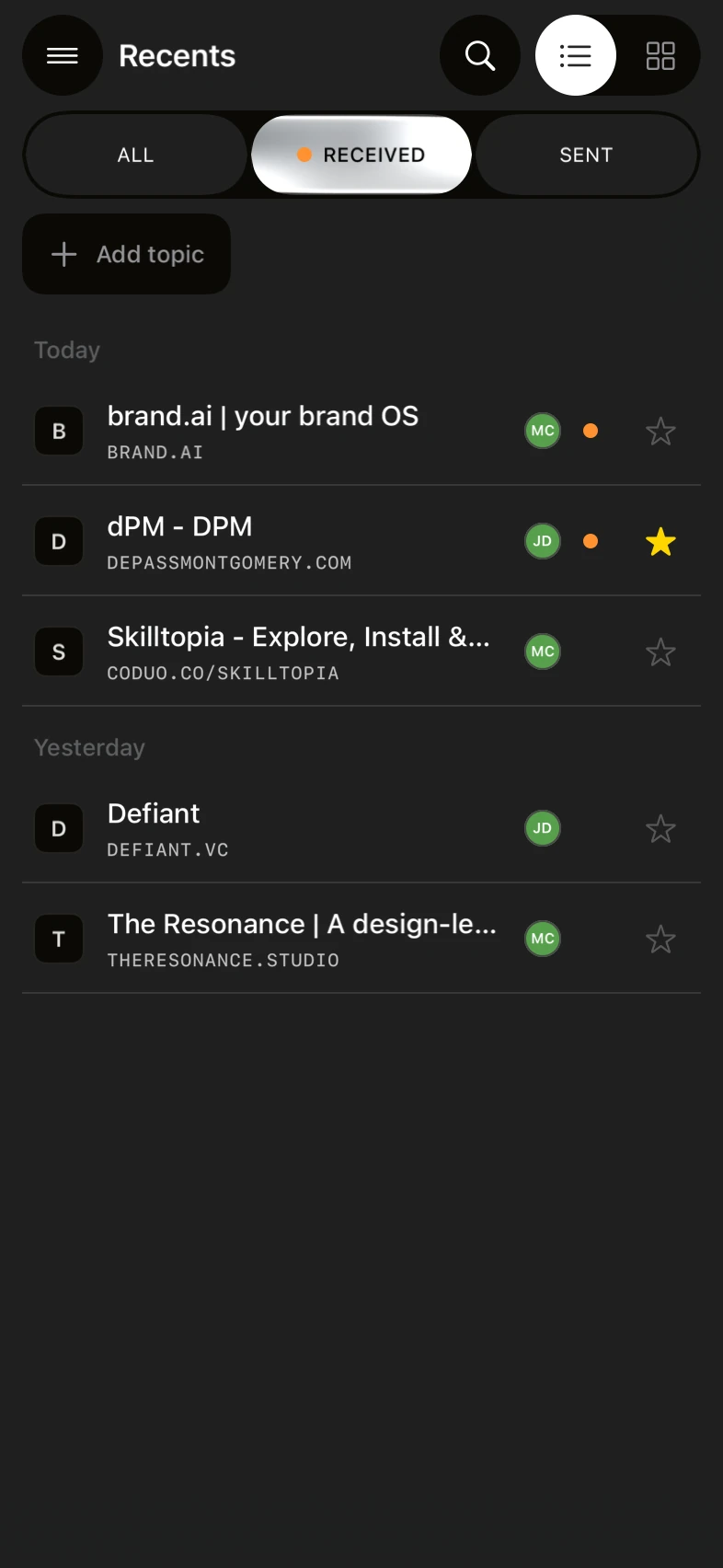
Shareling keeps links; Pushbullet delivers them. A Pushbullet link push is a one-off message into a chat or push history with a single free-text body, and its docs describe no folders, tags or labels. Shareling files every link in a library you can sort, label and search.
What that looks like in the code today:
- Save from any iPhone app. Shareling's share extension appears for a web link, a web page or text holding a link, and saves to Self, your own library, by default. It writes the link straight into Shareling's database on the phone, so the save works offline and with the app closed.
- Labels while you share. Type
#nameand a space in the note, and it becomes a folder chip. Folders work like tags, so one link can sit under two projects. - Search. The library keeps a full-text index over each link's title, URL, note and page description.
- Favorites and Read later. Private flags on your own record about a link, separate from folders.
- Chrome import on the Mac. The Mac app imports Chrome bookmarks into the same library.

Sending to a person works differently at launch too, by design. A link you send exists once, in your own iCloud zone shared with that one person, and it appears in your library under Sent and in theirs under Received. The note you write travels with it; your folders, favorites and read state never do, and the sender is never told when you open a link. You can unsend within one hour, and either person can hide a link at any time without deleting it. Shareling has no server of its own and no Shareling account: the data sits in each person's iCloud.
Pushbullet, by comparison, stores link pushes on its own servers, and they are not end-to-end encrypted. Its pages don't say whether deleting a push also removes it from the recipient's history, or whether push history can be searched.
What can't Shareling do yet?
Shareling can't send a link to another person yet, and it can't move a link between your own devices yet. Both depend on the live iCloud connection, which is not in the current code: the apps start their sync coordinator with an empty transport list, and the architecture notes list live CloudKit as a later piece of work. A link you save on your iPhone today stays on that iPhone. Until sync ships, AirDrop is the way to move it to your Mac.
Other limits hold at launch too:
- Apple only. Mac, iPhone and iPad, on macOS, iOS and iPadOS 26 or later. Nothing for Android, Windows or the web.
- Two people per channel. No groups. One drop goes to one person, so a link for three friends takes three sends.
- Designed, not built. Sending to a person, invites, the Mac's notch drop, Unsend and Remove person.
- Links only. No files, SMS or notification mirroring.
Prices are on the plans page.
Pushbullet vs Shareling: how do they compare?
| Pushbullet | Shareling | |
|---|---|---|
| iPhone and iPad | No app listed; old App Store link returns 404 | Yes, iOS and iPadOS 26+ |
| Mac | No Mac app listed; Chrome and Firefox extensions listed | Yes, macOS 26+ |
| Android, Windows | Yes | No |
| Send a link to your own devices | Yes | At launch (sync not live yet) |
| Send a link to one person | Yes, by email address | At launch, to one person per drop |
| Recipient without the app | Gets an email | Needs Shareling |
| Files, SMS, notification mirroring | Yes | No |
| Where links are kept | Push history on Pushbullet's servers | A library in each person's iCloud (at launch) |
| Folders or tags | None described | Private folders that work like tags |
| Search | Not stated on the pages read | Full-text over title, URL, note, description |
| Note on a link | A free-text body | A note that travels with the link |
| Take a link back | Delete a push; recipient effect not documented | Unsend within 1 hour (at launch) |
| Account | Pushbullet account | No Shareling account; uses iCloud |
| Price | Free tier; Pro $39.99 a year or $4.99 a month | See plans |
Should I pick Pushbullet or Shareling?
Pick Pushbullet if any device in the loop is an Android phone or a Windows PC, if you want SMS or notifications on your computer, or if you send files as often as links. It is also the one to use for sending a link to someone who has no app at all, since the email fallback covers them.
Pick Shareling if you and the people you swap links with are all on Apple devices, and what you want is to find those links again later: filed under folders, searchable, with the sender's note beside them. Today it saves links from your iPhone's share sheet into that library. Sending to a person and syncing across your devices come at launch.
If you came here because Pushbullet's iPhone app is gone, check which half of Pushbullet you used. For moving a link from iPhone to Mac right now, AirDrop, Handoff and Universal Clipboard are built in, and our guide to sending a link from iPhone to Mac covers each. For keeping what friends send you, that is the job Shareling is built for.
Frequently asked questions
Is there a Pushbullet app for iPhone?
Not one you can find on the US App Store as of 2026-09-25. Pushbullet's download page lists Android, Chrome, Firefox and Windows only, and the iPhone App Store link in its help centre footer returns a 404. Pushbullet has not published a notice saying the app was withdrawn.
Does Pushbullet work on a Mac?
Pushbullet lists no Mac app on its download page. It lists browser extensions for Chrome and Firefox, though the Chrome Web Store listing showed 'This item is not available' to a signed-out browser on 2026-09-25.
What is a Pushbullet alternative for iPhone and Mac?
Shareling runs on Mac, iPhone and iPad (version 26 or later) and keeps links in one library instead of a push history. It saves from any iPhone app's share sheet today; sending to a person and syncing between your devices arrive at launch. It does not send files, SMS or notifications, and it has no Android or Windows app.
Can I send a link to someone who doesn't use Pushbullet?
Yes. Pushbullet sends a link to an email address, and if that address has no Pushbullet account with a registered device, the person gets an email instead. Shareling, as designed, needs both people on Shareling.
Is Pushbullet free?
It has a free tier, capped at 500 pushes a month according to its API docs. Pushbullet Pro costs $39.99 a year or $4.99 a month and raises the file, storage and messaging limits.
Send a link to the person you mean it forShareling is a Mac, iPhone and iPad app for sending a link to one person and keeping the links you save, synced through your own iCloud.